Difference between revisions of "Translations:Map Options menu/2/en"
Jump to navigation
Jump to search
(Importing a new version from external source) |
(Importing a new version from external source) |
||
| Line 4: | Line 4: | ||
<br/> | <br/> | ||
[[File:mapand3.jpg|caption|left]] '''Waypoints:''' You can show or hide different kind of waypoints (Airfield, Heliport, IFR, VFR, NDB, VOR, TACAN, etc). | [[File:mapand3.jpg|caption|left]] '''Waypoints:''' You can show or hide different kind of waypoints (Airfield, Heliport, IFR, VFR, NDB, VOR, TACAN, etc). | ||
| − | Also, you have an option at the bottom of the panel that allows to filter by an airfield’s runway’s surface. | + | Also, you have an option at the bottom of the panel that allows you to filter by an airfield’s runway’s surface. |
<br/> | <br/> | ||
Latest revision as of 15:15, 19 October 2015

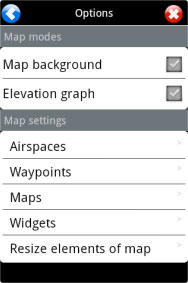
From the Toolbar press on the «Map Options» button to access various options for the moving map.

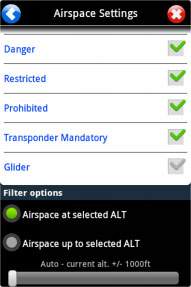
Airspaces: You can show or hide the different class of interactive airspaces on the map and you can also filter them by “altitude”.

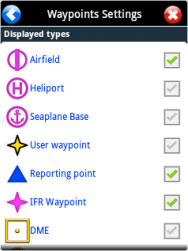
Waypoints: You can show or hide different kind of waypoints (Airfield, Heliport, IFR, VFR, NDB, VOR, TACAN, etc).
Also, you have an option at the bottom of the panel that allows you to filter by an airfield’s runway’s surface.
