Translations:Map Store/3/en
Jump to navigation
Jump to search
- Installed products
- It shows the charts, maps and data that is currently installed in the app. You can Re-install or Delete products partially or completely from here
- All my products
- It shows all the purchased charts, maps and data and the free products downloaded by the user, too. If you reinstall the application or lose a map, here you will get it back. It also allows you to sync the products across the different platforms.
- Catalog (iOS) / Download products (Android)
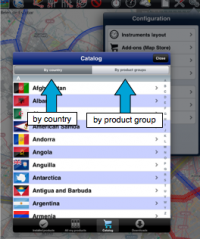
- In iOS It is divided into two parts:

- by country: you can choose the country you are interested in and it will show all the charts/maps and data available for that country.
- by product groups: it will show the products by their category.
- In Android the products are displayed by category
